Help / OBS Studio
Set up the transition
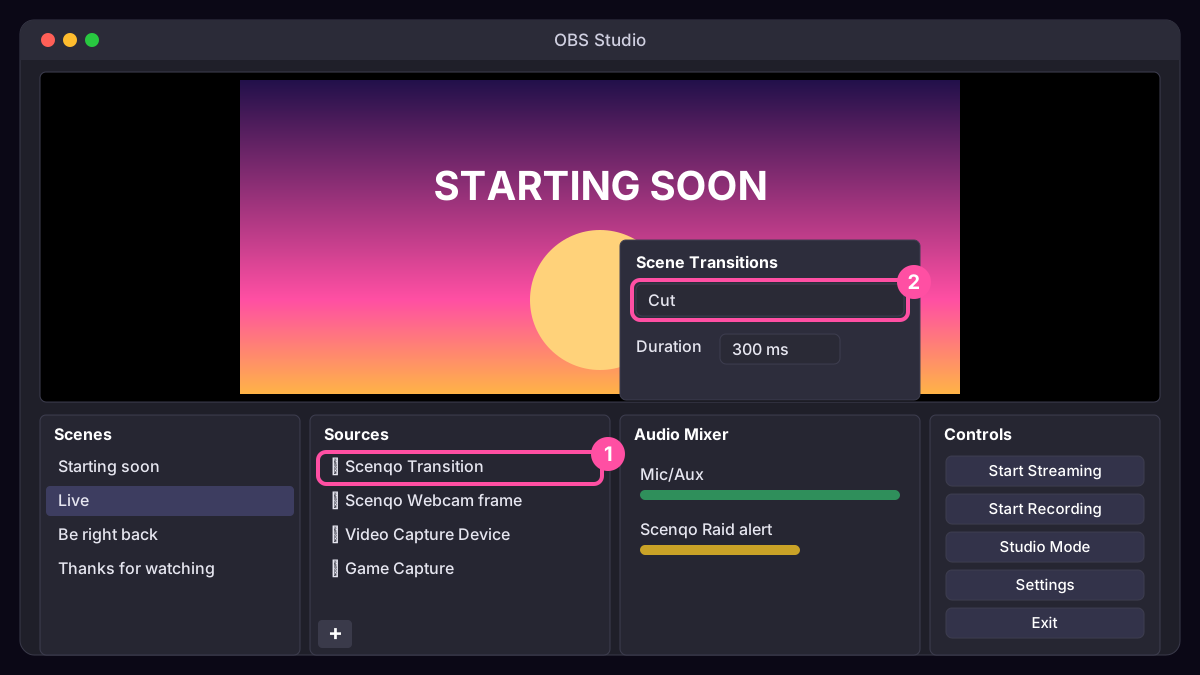
The Scenqo transition is a browser source that plays a 1.3-second wipe. It sits on top of a scene and plays each time you switch to that scene.
- In each scene, add the Transition link as a Browser Source at 1920 x 1080.
- Tick Refresh browser when scene becomes active.
- Drag it to the top of the source list so it covers everything during the wipe.
- In the Scene Transitions dock, set OBS’s own transition to Cut (or Fade at 300 ms). The wipe hides the cut.
Tip: right-click the source, Copy, then Paste (Reference) into your other scenes so you only set it up once.
Was this missing something? Tell us and we’ll add it.